Dialog TV GO1.0.4.0
Publisher Description
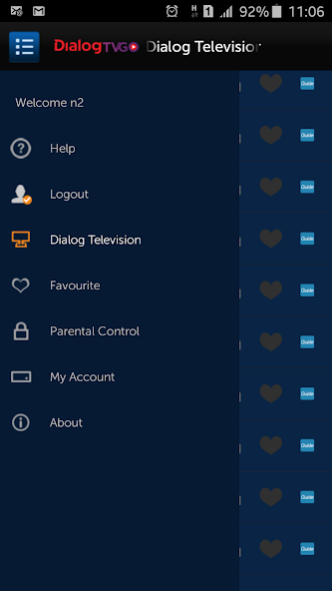
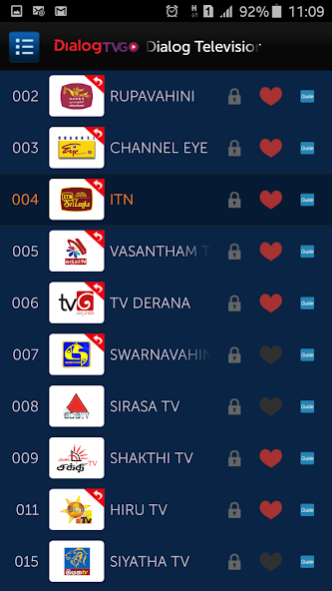

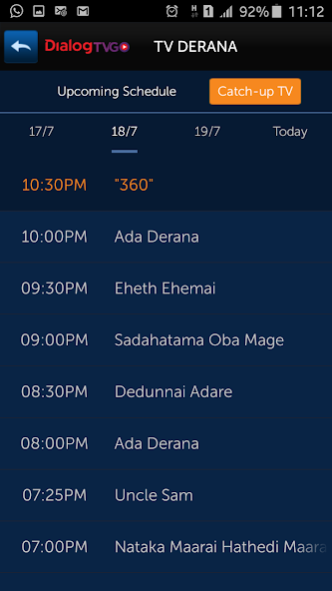
Dialog Television customers can now watch all your favourite channels on-the-go anywhere, any time at no extra charge. To use Dialog TV GO please select “Login” menu and sign up with your Dialog Television account number. Your start page will list down all your available channels and an icon will indicate the channels which you can Pause, Rewind or Fast Forward up to 2 hours from the current time. You can also use the Guide button to view the Program Schedule or Catch up with your favourite show for the past 72 hours at your convenience.
The Dialog TV Go app will not support Android devices with customized/modified/rooted firmware.
About Dialog TV GO
The company that develops Dialog TV GO is Dialog Axiata.. The latest version released by its developer is 1.0.4.0.
To install Dialog TV GO on your Android device, just click the green Continue To App button above to start the installation process. The app is listed on our website since 2017-03-23 and was downloaded 117 times. We have already checked if the download link is safe, however for your own protection we recommend that you scan the downloaded app with your antivirus. Your antivirus may detect the Dialog TV GO as malware if the download link to com.zte.iptvclient.android.lkhd is broken.
How to install Dialog TV GO on your Android device:
- Click on the Continue To App button on our website. This will redirect you to Google Play.
- Once the Dialog TV GO is shown in the Google Play listing of your Android device, you can start its download and installation. Tap on the Install button located below the search bar and to the right of the app icon.
- A pop-up window with the permissions required by Dialog TV GO will be shown. Click on Accept to continue the process.
- Dialog TV GO will be downloaded onto your device, displaying a progress. Once the download completes, the installation will start and you'll get a notification after the installation is finished.
Program Details
System requirements
Download information
Pricing
Version History
version V1.0.4.0
posted on 2017-03-23
We’re always focused on improving your experience. The new update contains improvement to the App’s performance & improvements to the system.
